.svg)
What is Instagram Automation? How It Works, Benefits & Best Tools in 2025

Imagine this, you’re scrolling through your Instagram DMs one day, just casually catching up on messages, when you notice something that makes your stomach drop.
Twelve unread messages.
Not from friends or family. Potential leads asking about your product. People who had questions about pricing, features, and availability.
And you had missed every single one of them.
Some were from three days ago. Others from last week. One particularly heart breaking message read: "Hey! Really interested in your product. Let me know when you can chat!" That was from nine days ago.
Nine. Days.
That person probably bought from your competitor by now.
That's probably when you realized you couldn't keep losing customers because you and your team were too slow to respond.
If you've ever felt this same frustration, the constant pressure to be "always online" for your audience, you're not alone. There are over 2 billion monthly active users on Instagram, according to recent reports from Statista and SOAX, the platform has become a non-stop marketplace.
The solution? Instagram automation.
But before you panic and think "Isn't automation against Instagram's rules?" or "Won't this make my brand look like a robot?" let me explain what Instagram automation actually is and how it can save your business (and your sales) without getting you banned.
What is Instagram automation exactly?
Let's start with the basics.
Instagram automation means using software to handle the repetitive work on your Instagram account, so you don't have to do it all by hand. The software connects to Instagram's official tools and replies to DMs, comments, and Stories for you, based on rules you set up.
Think of it as an assistant who never sleeps, never takes a break, and never misses a DM.
Most Instagram automation falls into four types:
- DM automation: replying to incoming messages, answering questions, and qualifying leads.
- Comment automation: replying to comments, or sending a DM to people who comment a keyword.
- Story automation: starting a conversation when someone replies to or mentions you in a Story.
- Post scheduling: planning posts, Reels, and Stories in advance so they publish automatically. Many businesses speed this up with tools like an image generator for visuals or an avatar creator for a consistent look.
This guide focuses mostly on the first three, because that's where conversations turn into sales. We'll cover scheduling briefly too.
How Instagram automation works
There are three levels to Instagram automation. Most businesses start at the first one and outgrow it quickly.
Level 1: Instagram’s built-in tools
Instagram gives professional accounts a few basic features for free:
- Saved replies: shortcuts for answers you type often.
- FAQs: suggested questions people can tap when they open a chat with you.
- Instant replies: a simple automatic message when someone first contacts you.
They’re a nice start if you’re running a small account on your own. But they don’t understand questions, can’t respond to comments, and can’t hand anything to your team. Once you’re getting dozens of messages a day, they won’t be enough.
Level 2: Automation through Instagram’s official API
This is where real automation starts. Instead of working inside the Instagram app, you connect your account to an automation platform through Meta’s official API. The platform then listens for triggers and responds automatically.
The main triggers are:
- A new DM: someone messages you, and a reply goes out straight away.
- A new comment: someone comments on a post or Reel (or comments a specific keyword), and they get a public reply, a DM, or both.
- A Story mention or reply: someone mentions you or replies to your Story, and a conversation starts in their DMs.
Many tools at this level use keyword flows. You decide that anyone who types “PRICE” gets message A, and anyone who types “SHIPPING” gets message B. It works well for campaigns and simple questions.
The weakness is that keyword flows only understand what you planned for. If someone asks “how much for two of these delivered to Toronto?”, a keyword flow either misses it or sends the wrong canned reply.
Level 3: AI that answers like a team member
The most capable setup puts AI behind those triggers.
Instead of matching keywords, an AI Employee reads the whole message, understands what the person wants, and answers from your own business information: your products, prices, policies, and FAQs. It can ask follow-up questions, collect contact details, send the right file or link, and pass the conversation to a person on your team when it needs a human.
The best setups also connect Instagram to the other places customers message you, like WhatsApp, Messenger, and your website. So when someone who DMed you on Instagram later messages on WhatsApp, your team sees the whole conversation.
Instagram’s automation rules (and how to keep your account safe)
Instagram doesn’t ban automation. It bans spam, and it’s strict about how businesses can message people.
Most guides stay vague here, but these are the actual rules, based on Meta’s own documentation.
1. You need a professional account
Automation only works with Instagram Business or Creator accounts. Personal accounts can’t connect to automation tools at all. If you’re still on a personal account, switch it in the Instagram app’s account settings first.
2. People have to message you first
You can’t send automated DMs to people who’ve never contacted you. Every automated conversation has to start with something the other person did: sending you a DM, commenting on your post, replying to or mentioning you in a Story, or clicking a message ad.
So “DM everyone who followed me this week” isn’t allowed. “Reply to everyone who commented LINK” is.
3. The 24-hour window
Once someone messages you, you have 24 hours to respond. Meta’s policy calls this the standard messaging window. Messages sent inside it can include promotional content.
Every new message from the customer restarts the clock. If 24 hours pass without them messaging again, automated messages to that person stop until they reach out.
This is why speed matters so much on Instagram. The window is open when interest is highest, and automation makes sure you use it.
4. Your team gets up to 7 days, but only real people
Meta’s Human Agent tag lets a person on your team reply to a customer for up to 7 days after their last message. It’s meant for issues that need a human and can’t be wrapped up within 24 hours.
The important part: it’s for real people typing real replies. It can’t be used to send automated follow-ups.
5. Comment-to-DM gets one message
When someone comments on your post or Reel, you can send them a private reply in their DMs. According to Meta’s private replies rules, that reply has to be sent within 7 days of the comment, and you can only send one message per comment.
If they reply to that DM, a normal conversation opens (and the 24-hour window starts). If they don’t, that’s the end of it.
So make that one message count. Deliver what they asked for, and end with a question that gives them a reason to reply.
6. There are sending limits
Meta caps private replies to comments on posts and Reels at 750 per hour per professional account. Most businesses will never hit that. But if a Reel goes viral, a good automation tool will queue replies rather than fail.
7. Only use official tools
This is the rule that matters most. Tools that ask for your Instagram password, or promise “unlimited DMs” to people who never contacted you, aren’t using Meta’s official API. Accounts caught using them can be restricted or disabled, and getting them back is hard.
A legitimate tool connects through Meta’s own login screen, where you approve access without ever sharing your password.
8. Be upfront that it’s automated
In some places, including California and Germany, Meta requires automated chats to tell people they’re talking to an automated service. Even where it’s not required, Meta recommends it. A simple “I’m the [brand] assistant” is enough.
The best Instagram automation tools in 2026
The right Instagram automation tool depends on what you’re actually trying to automate. A creator running comment-to-DM campaigns needs something different from an online store answering hundreds of order questions a week.
Heyy
Heyy is for brands that sell and support customers through Instagram DMs. Comments on your posts trigger an automatic DM, and an AI Employee trained on your products and pricing answers questions, qualifies leads, and hands complex chats to your team. Instagram shares one inbox with WhatsApp, Messenger, and website chat, so each customer's conversations stay together.
ManyChat
ManyChat is the best-known name in Instagram automation, especially for comment-to-DM campaigns and marketing funnels. If your main goal is growing an audience and running Reel campaigns, it’s a natural choice. If you need AI that handles support and sales across several channels, compare it carefully. We’ve done that in ManyChat vs. Heyy.
CreatorFlow and LinkDM
These are simpler tools built around one job: sending people a link or resource when they comment a keyword. They’re easy to set up and a good fit for creators. They’re less suited to businesses that need to answer detailed product questions or manage customer support.
Buffer and Later
These are scheduling tools, not messaging tools. They plan and publish your content. Many businesses use one of them alongside a conversation tool like Heyy.
How to choose
“I miss too many DMs and questions.” Look for AI-powered DM automation with human handoff.
“I want my Reels to generate leads.” Look for comment-to-DM automation.
“Customers message us on Instagram and WhatsApp.” Look for one shared inbox across channels.
“I can’t keep up with posting.” Look for a scheduling tool.
Heyy covers the first three in one platform: comment-to-DM automation, an AI Employee that handles the conversation, and a shared inbox for Instagram, WhatsApp, Messenger, and website chat. For scheduling posts, you'll still want a tool like Buffer or Later.
For a full breakdown of each tool, see our list of the best Instagram automation tools.
How to automate Instagram with Heyy
So, how do you actually set this up? With Heyy, you connect your Instagram account, set up an AI Employee that knows your business, then choose what should trigger it. No coding needed.
Step 1: Check the four requirements
Instagram has more setup requirements than most channels. Make sure all four are true before you start, because a missing one is the most common reason a connection fails:
- You’re an admin of both the Instagram account and its linked Facebook Page.
- Your Instagram account is a Business or Creator account. Personal accounts can’t be connected.
- Your Instagram account is linked to a Facebook Page. If it isn’t, link one in the Instagram app.
- Both the Page and the Instagram account are in your Meta Business Portfolio, with the Page verified in Business settings.
Step 2: Connect Instagram to Heyy
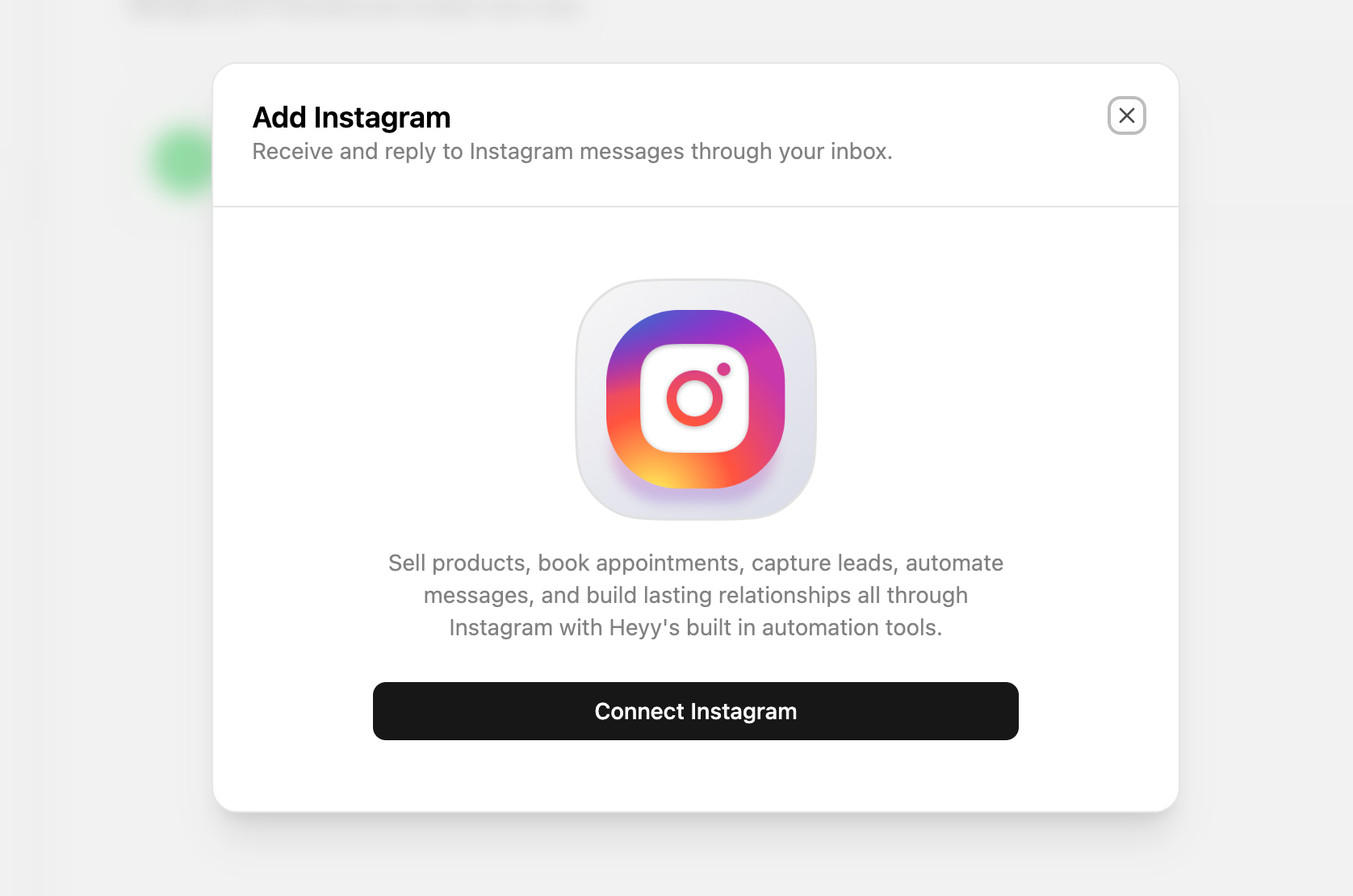
In Heyy, go to Settings → Channels, click Add Channel, select Instagram, and click Connect.
Meta’s own login screen opens. Sign in, choose the Instagram account you want to connect, and approve Heyy to send and receive messages for it. You never share your Instagram password with Heyy.
Step 3: Create your AI Employee
Your AI Employee is the team member who’ll answer your Instagram conversations. Give it a name, set its role (sales, support, or both), and choose its tone and how long its answers should be.
A streetwear brand might go with casual and short. A clinic might prefer warm and more detailed.
Step 4: Give it your business knowledge
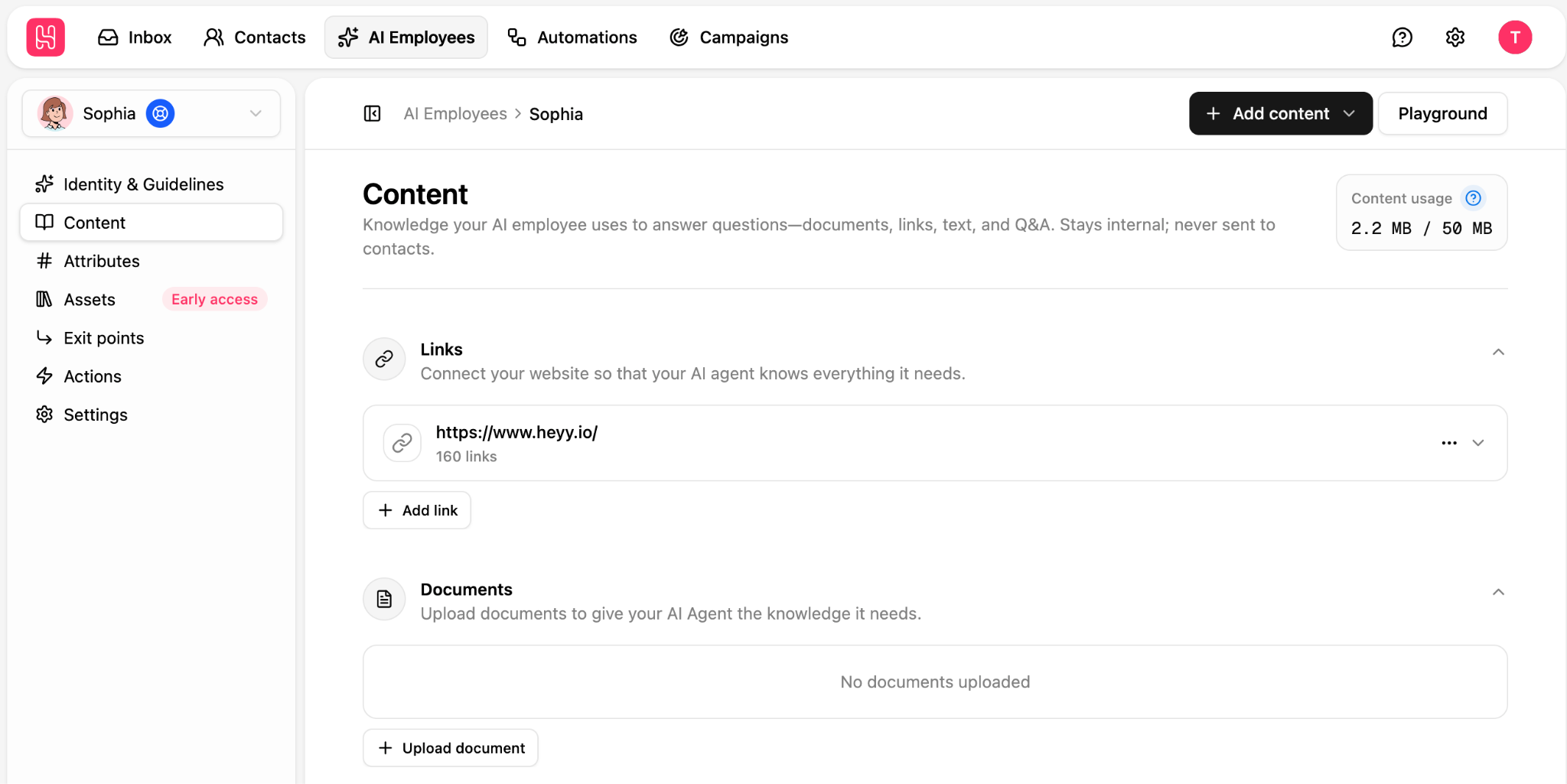
Add the content your AI Employee should answer from: website pages, product information, price lists, policies, and common questions with their answers.
This step decides how good your answers are. If people keep asking about sizing, shipping to other countries, or how to book, make sure those answers are in there and written clearly.
Step 5: Write your guidelines
Guidelines tell your AI Employee what to aim for in each conversation. For example:
- “When someone asks about a product, confirm availability, share the price, and send the product link.”
- “If someone wants a custom order, collect their name, budget, and deadline, then hand it over to the team.”
- “If a customer is unhappy about an order, apologize and transfer to a human straight away.”
Step 6: Test it in the Playground
Before customers see it, chat with your AI Employee in the Playground. Ask your most common questions. Try typos, slang, and vague questions. Check that it hands off to a human when it should.
Step 7: Build your automation
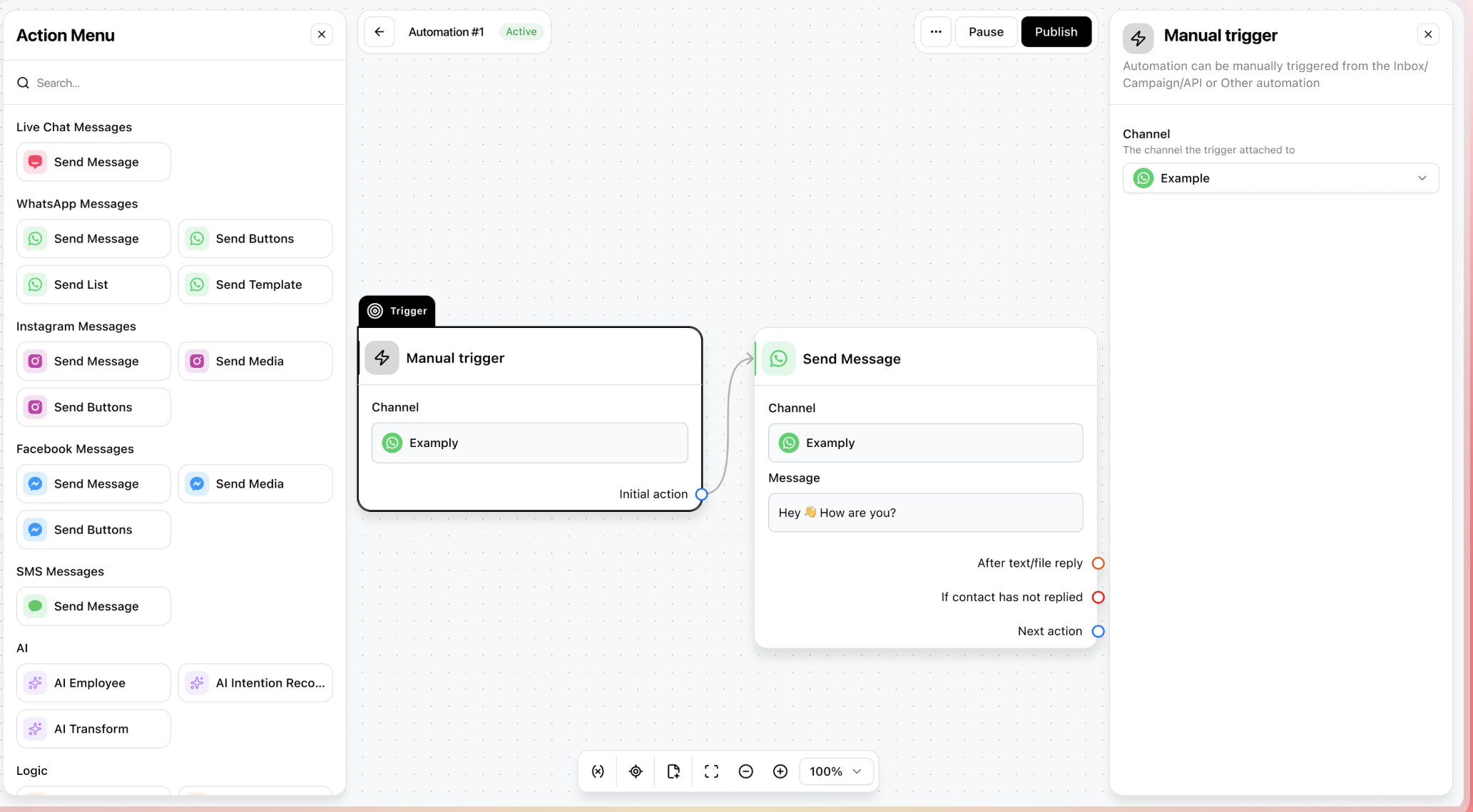
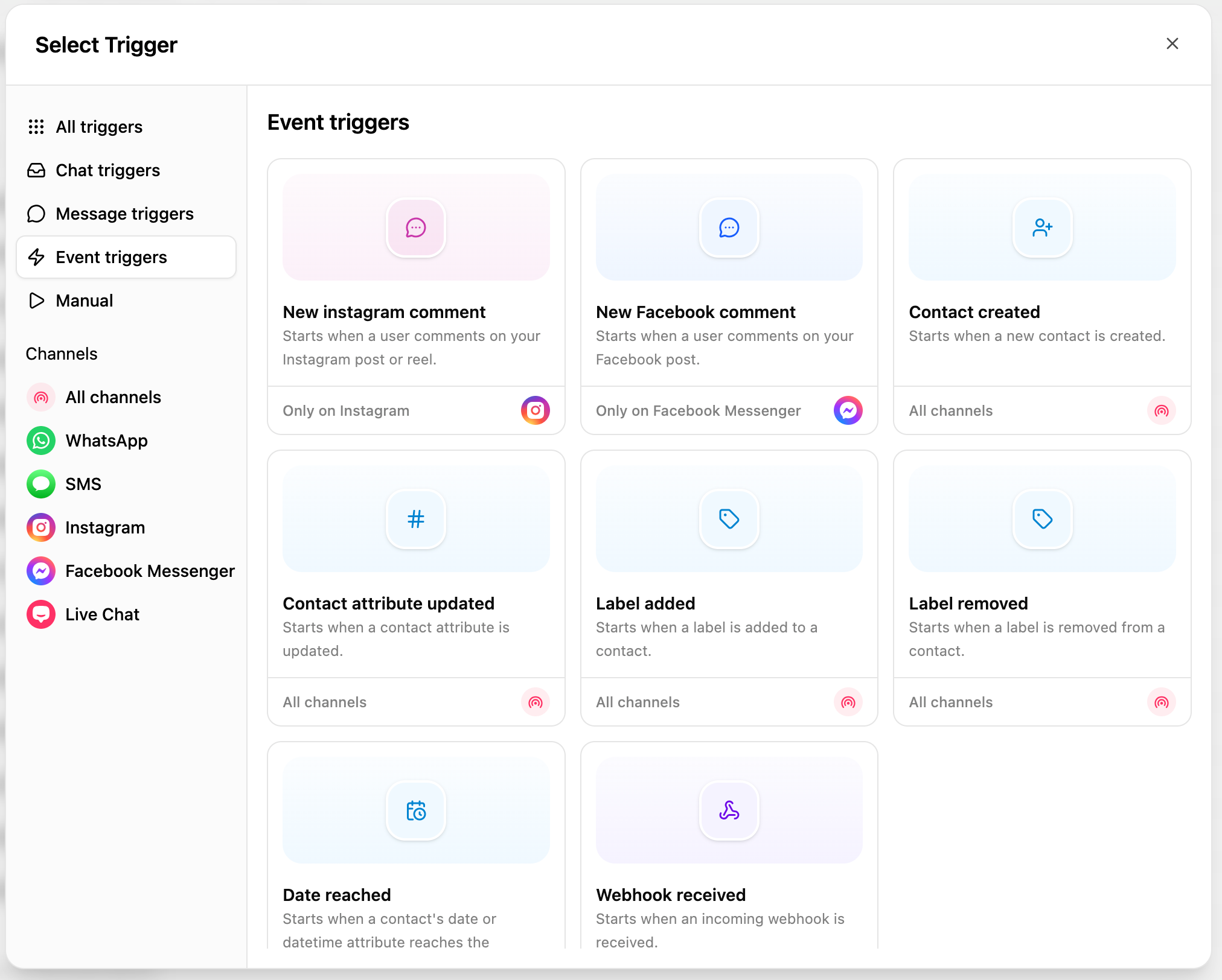
Go to Automations and create a new automation, or start from one of Heyy’s ready-made templates. Choose your trigger:
- A new incoming message on your Instagram channel, for DM automation.
- A new comment, for replying to comments or sending a DM to commenters.
- A Story mention, for starting conversations with people who mention you.
Add your AI Employee, choose when it should hand conversations to your team, and publish.
That’s it. From here, every DM, comment, or mention you’ve set up gets a reply in seconds, whether it’s 2 p.m. or 2 a.m.
When a conversation does need a person, your team picks it up in the Heyy inbox. The chat header shows how long is left in the reply window, so nobody misses the deadline.
Instagram automation examples
Here’s what Instagram automation looks like for different kinds of businesses.
1. Ecommerce: a Reel comment that turns into an order
A fashion brand posts a Reel of a new jacket with the caption “Comment JACKET for the link.”
Comment: JACKET
Automated DM: Hey! Here’s the link to the Harbour jacket 👇 [link]. It runs true to size. What size are you usually?
Customer: Medium, but I’m between M and L
AI Employee: Go with the medium if you like a closer fit, or large if you’ll wear a hoodie under it. Here’s the size guide too. (sends image)
The first message delivers what was promised and ends with a question. Once the customer replies, the AI Employee takes over the conversation.
2. Restaurant: booking a table through DMs
Customer: Hi, do you have space for 6 on Saturday evening?
AI Employee: We’d love to have you! We have 6:30 or 8:00 available on Saturday. Which works better?
Customer: 8:00
AI Employee: Great. Can I get a name and phone number for the booking?
The booking gets handled at 11 p.m. on a Thursday, without anyone on staff picking up their phone.
3. Coach or course creator: a lead magnet that qualifies leads
Comment: GUIDE
Automated DM: Here’s your free content planning checklist 👉 [link]. Quick question: are you creating content for yourself or for clients?
Follower: For clients, I run a small agency
AI Employee: Nice! How many clients are you managing right now?
By the end of the chat, the coach knows who’s a hobbyist and who’s a potential client for their paid programme.
Routine questions get answered straight away, and anything unusual goes to a person with the full conversation attached.
Instagram automation mistakes to avoid
Most Instagram automation problems come from the same handful of mistakes.
1. Using tools that ask for your password. If a tool wants your Instagram login instead of connecting through Meta’s own approval screen, it isn’t using the official API. It’s the fastest way to get your account restricted.
2. Pitching before delivering. If someone comments “GUIDE,” send the guide. Don’t send a sales pitch and make them ask again. You only get one message per comment, so the first DM has to deliver.
3. Asking for too many keywords at once. “Comment INFO, PRICE, LINK, or GUIDE” makes people stop and think. One clear keyword per post works better.
4. Sending the same reply to everything. A canned message that ignores what the person actually asked feels robotic. Use AI that understands the question, or at least match your replies to specific keywords.
5. Trying to message people after the window closes. Follow-ups sent after the 24-hour window won’t go through, and tools that try to get around it put your account at risk. Answer fast instead.
6. Leaving no way to reach a person. Nothing frustrates customers more than a bot that goes in circles. Make it easy to get to a human for complaints, refunds, and anything complicated.
7. Automating everything. Complaints, sensitive situations, and your best customers deserve a person. Automate the repetitive questions, not the relationships.
8. Setting it and forgetting it. Your prices change, your stock changes, and your customers ask new questions. Review your conversations regularly, and update your AI Employee’s knowledge when something comes up it couldn’t answer.
Instagram automation FAQs
1. Is Instagram automation allowed?
Yes, as long as you use tools built on Meta’s official API and only message people who contacted you first. What Instagram doesn’t allow is spam: unsolicited DMs, fake engagement, and tools that log in with your password.
2. Can Instagram ban me for using automation?
Not for using official, API-based tools within Meta’s rules. Accounts get restricted when they use unofficial tools, message people who never contacted them, or send spammy, repetitive messages.
3. Do I need a business account to automate Instagram?
You need a professional account, either Business or Creator. Personal accounts can’t connect to automation tools. For most platforms, including Heyy, your account also needs to be linked to a Facebook Page.
4. What’s the best Instagram automation tool?
It depends on your goal. ManyChat and similar tools are strong for comment-to-DM marketing campaigns. Heyy is built for businesses that use Instagram for sales and support, want AI that answers real questions, and need Instagram in the same inbox as WhatsApp and website chat. Scheduling tools like Buffer and Later handle posting.
5. Can I automate Instagram DMs for free?
Instagram’s built-in saved replies, FAQs, and instant replies are free. Many automation tools also have free plans, but they usually limit how many contacts or messages you can automate, and AI features are often on paid plans.
6. What is Instagram’s 24-hour rule?
After someone messages your business, you have 24 hours to reply with automated or promotional messages. Each new message from them restarts the clock. A person on your team can reply for up to 7 days using Meta’s Human Agent tag, but that’s only for manual replies, not automation.
7. Can I automatically DM people who comment on my posts?
Yes. This is called comment-to-DM. You can send one private reply per comment, within 7 days of the comment. If they reply, the conversation continues as a normal DM.
8. Can I automatically DM new followers?
No. Following you doesn’t count as contacting you, so you can’t send them an automated DM through the official API. Tools that claim they can aren’t using Meta’s approved methods.
9. Can I automate Instagram and WhatsApp together?
Yes, with a tool that supports both. In Heyy, Instagram and WhatsApp conversations land in the same inbox, and the same AI Employee can answer on both. See our WhatsApp automation guide for the WhatsApp side.
10. Why won’t my Instagram account connect to an automation tool?
It’s almost always one of four things: the account is personal instead of Business or Creator, it isn’t linked to a Facebook Page, the Page and account aren’t in your Meta Business Portfolio, or the person connecting isn’t an admin of both.
Ready to automate your Instagram conversations?
The people commenting on your posts and sliding into your DMs are already interested. What decides whether they buy is how quickly, and how well, someone answers them.
With Heyy, an AI Employee answers your Instagram DMs, comments, and Story mentions in seconds, qualifies leads, and brings in your team when a conversation needs a human. And because Instagram sits in the same inbox as WhatsApp and your website chat, no conversation gets lost between channels.
→ Start automating your Instagram with Heyy and turn more of your followers into customers.
Want to see how it works on your website too? Read our guide on chat widgets for business websites.
Sources
- Messenger Platform and IG Messaging API policy (24-hour window, Human Agent tag, automated-chat disclosure)
- Instagram Messaging API: Private Replies (one reply per comment, within 7 days)
- Messenger Platform rate limiting (750 private replies per hour)
- Heyy help docs: Instagram getting started, common issues, message errors (project files)
More blog posts to read

Ready to Automate Support
Across Every Channel?
.svg)
.avif)